Runs locally No signup No watermark
Pixlane ← AI tools
/
Heatmap Analytics
Drop a video to start
?
Unique people: distinct individuals tracked across frames. Same person walking through the scene counts once, not once per frame. Click the tile to focus the heatmap on people only.
👥
Unique people
drop a video to start
?
Unique vehicles: distinct cars, trucks, buses, motorcycles, and bicycles tracked across frames. The same vehicle passing through the scene counts once. Click the tile to focus the heatmap on vehicles.
🚗
Unique vehicles
cars, buses, bikes
?
Busiest moment: the maximum number of objects seen simultaneously in a single frame. A peak of 12 means at one point 12 different things were on screen at once. Click the tile to reset the heatmap to all selected classes.
🔥
Busiest moment
peak concurrent objects in frame
Idle: drop a video, pick a sample, or start your camera.
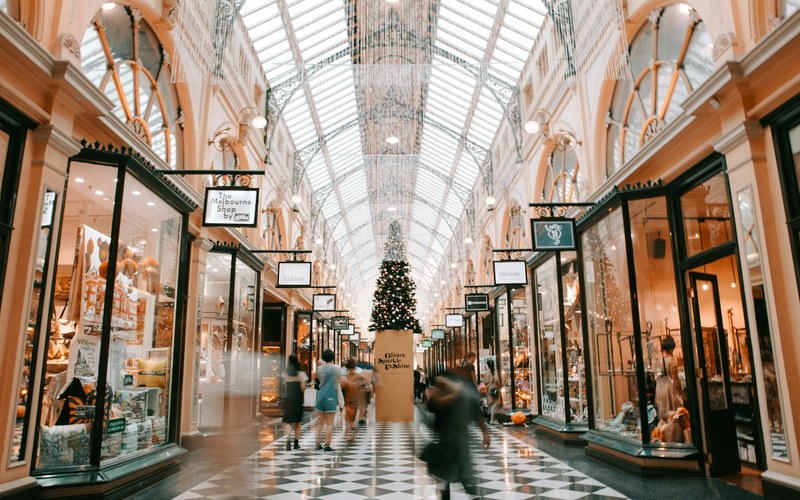
Raw CCTV scene before heatmap analytics
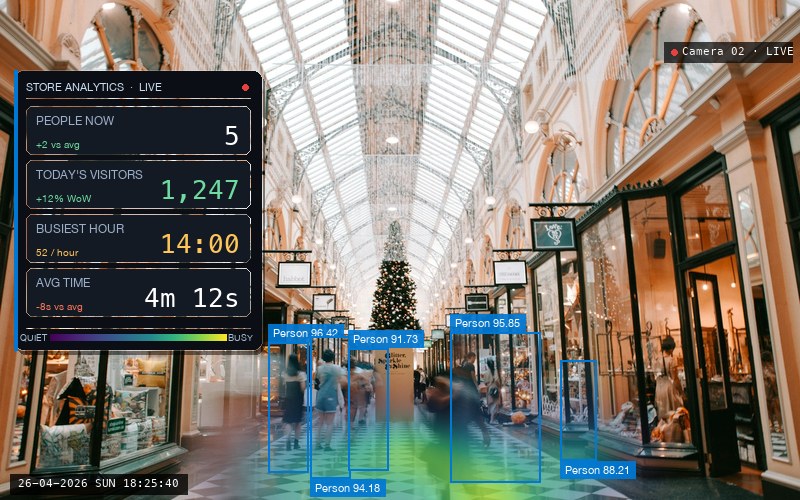
Same scene with viridis heatmap, bounding boxes and KPI overlay
Raw Heatmap

Drag to preview the heatmap effect on a sample scene

Drop a video to start analysing Image, video file, or your camera. We'll auto-pick detection quality and tune for indoor or outdoor scenes, no setup needed.
100% on-device · works on retail floors, parking lots, busy streets, your front door
⚠ Sun glare or saturated regions detected. Consider raising vehicle confidence to ≥0.45.
Activity timeline
-
Quiet Busy
-
Ready
100% on-device. Video, tracks, zones, and metrics never leave your browser.

Compare detection quality on this frame

Same frame, three quality settings. The model with the most consistent detections wins.

See your busy zones at a glance 📊

Pixlane Retail Heatmap turns any CCTV or webcam clip into footfall counts, density maps and traffic analytics. Supported media processing runs on your device. Your supported video contents are not uploaded for processing.